

At its core, wireless pentesting has not changed much over the past few decades, but wireless adapter technology has advanced significantly. To conduct an effective wireless pentest, you need an adapter that supports monitor mode and packet injection. Although there are thousands of wireless adapters available on the market, only a small number truly meet the demands of wireless pentesting.
Many sources put out good lists of compatible wireless adapters such as this one from the developers of Airgeddon.
Wireless Adapter Chipsets
At the heart of every wireless adapter is the chipset it uses. The chipset is the main integrated circuit inside the adapter, responsible for handling wireless communication, radio signals, encryption, and communication with the operating system through drivers.
Several companies manufacture chipsets for wireless adapters, but the ones most commonly seen in pentesting are Mediatek, Ralink, Atheros, and Realtek. Most current-generation adapters use Mediatek chipsets, largely because they support newer wireless standards such as WiFi 6E.
That said, not every chipset from these brands is suitable for pentesting. While many models do support monitor mode and packet injection, others do not, so it is important to verify chipset capabilities carefully when researching adapters.
Wireless Adapter Drivers
All wireless adapters require drivers to communicate properly with the operating system, but not all manufacturers provide drivers of equal quality or compatibility. A good example is the Alfa AWUS036ACH, which uses the Realtek RTL8812AU chipset. Its driver requires a patch to work correctly with Kali Linux, and anyone who has used this adapter knows that setup can be hit or miss for pentesting purposes.
Other adapters, such as the Fenvi AX5400 and Panda PAU09, also require drivers to function on Windows. This means that if you are running Kali Linux as a virtual machine, you will need to install the correct drivers for these cards to work properly.
Wireless Adapter Range
You should also consider range when choosing a wireless adapter, as every environment is different. Factors like walls and room size greatly affect how far a wireless signal can travel. The adapter’s antennas also play a significant role in signal strength and quality. Bigger is not always better. While larger antennas can improve signal reception, they can also introduce resistance that causes signal loss. This effect is evident in range tests across several adapters.
Wireless Adapter Checks
If you are unsure whether a wireless adapter is suitable for pentesting, you can test it for monitor mode and packet injection using the Aircrack-ng suite of tools.
Monitor Mode can be tested with the following command.
Packet Injection can be tested with the following command. The interface must be in monitor mode for this to work.
Wireless Adapter Range Tests
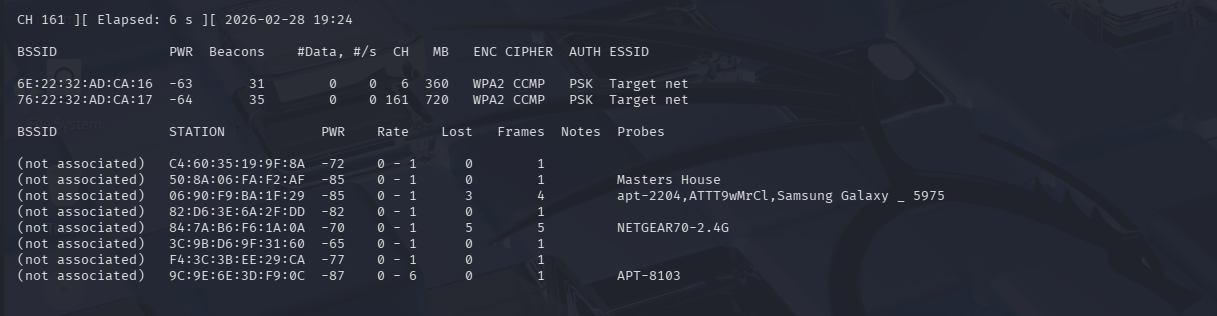
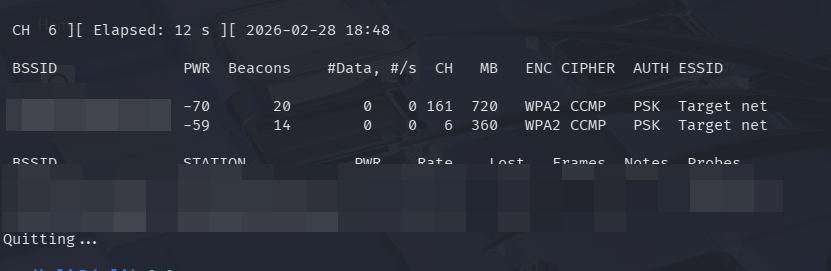
As the owner of several wireless adapters, I tested each one’s signal strength against a UniFi U6 Pro wireless access point. Measurements were taken at distances of 5 feet and 80 feet, with the 80-foot test including a single wall between the adapter and the access point.
The access point broadcast both a 2.4 GHz and a 5 GHz network. The 2.4 GHz network operated on channel 6, while the 5 GHz network ran on channel 161. For these measurements, the closer the PWR value is to 0, the stronger the signal.
Alfa AWUS036AXML
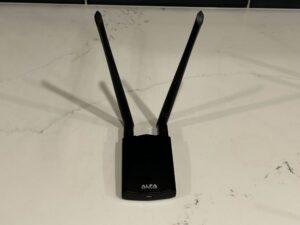
Chipset: Mediatek MT7921AUN
Drivers: Current generation Linux distributions support this adapter with no user setup needed. Windows requires a driver installation that can be hit or miss.
Price: $80
Signal Strength 5ft:
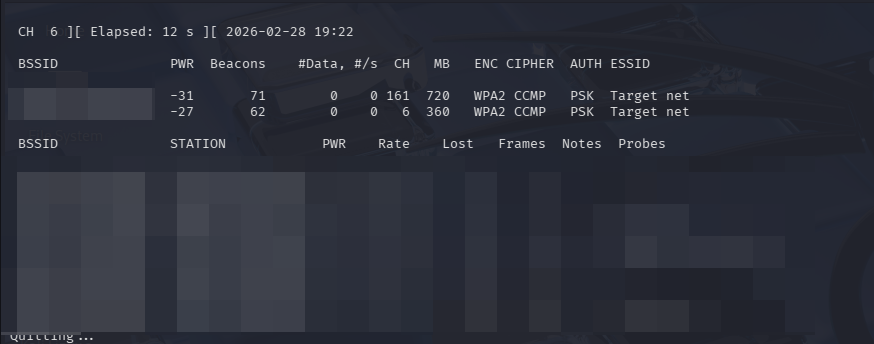
Signal Strength 80ft:
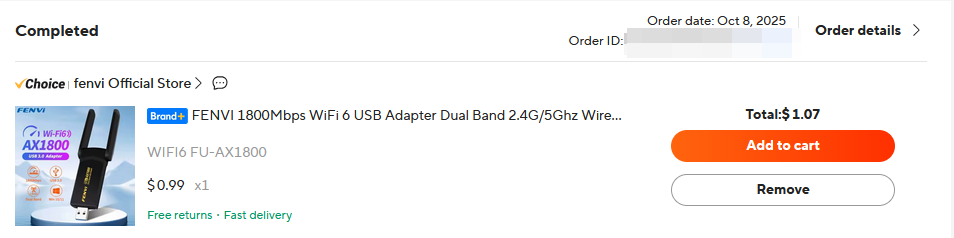
Fenvi AX1800
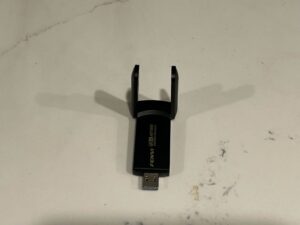
Chipset: Mediatek MT7921U
Drivers: Current generation Linux distributions support this adapter with no user setup needed. Windows requires a driver installation.
Price: $1-$20 depending on Aliexpress
Signal Strength 5ft:
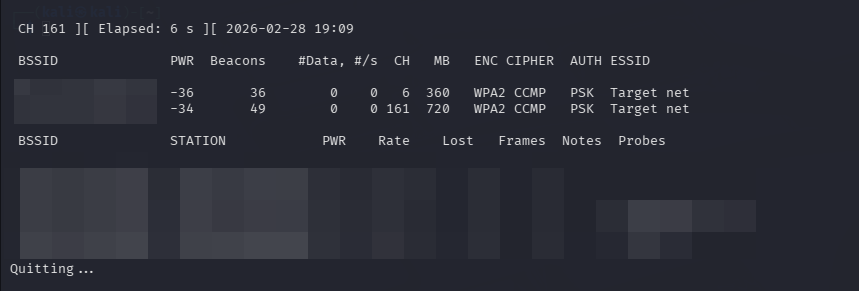
Signal Strength 80ft:

Panda Wireless PAU0F

Chipset: Mediatek MT7921U
Drivers: Current generation Linux distributions support this adapter with no user setup needed. Windows requires a driver installation.
Price: $30
Signal Strength 5ft:
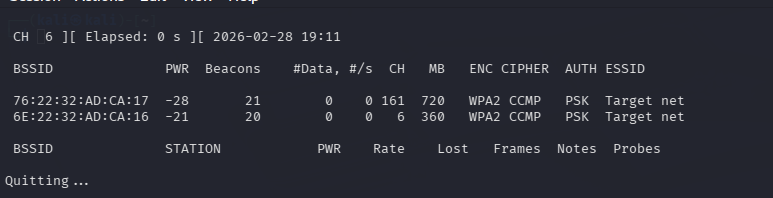
Signal Strength 80ft:
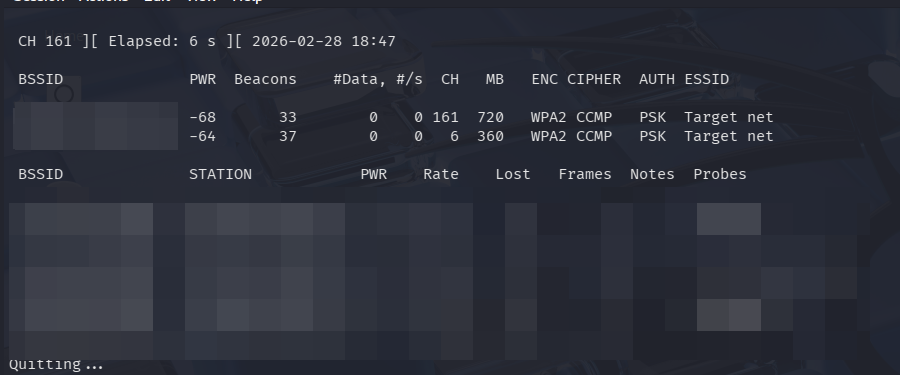
Alfa AWUS036ACH
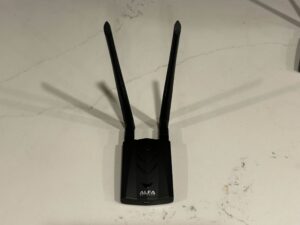
Chipset: Realtek RTL8812AU
Drivers: Kali Linux requires a driver installation, however Parrot OS does not. Windows fully supports this adapter.
Price: Discontinued $70
Signal Strength 5ft:
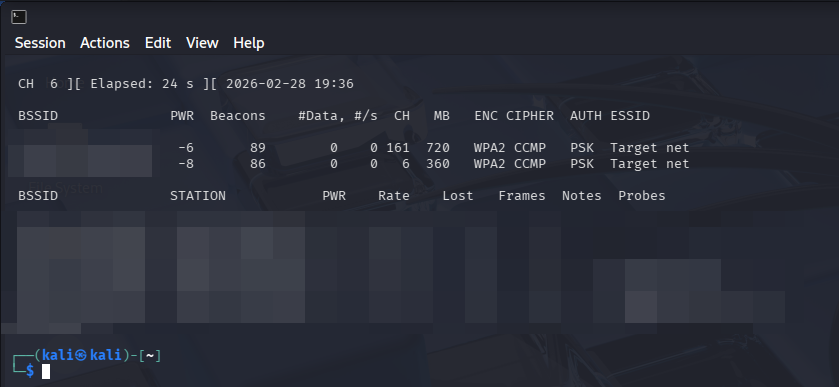
Signal Strength 80ft:

Panda Wireless PAU09
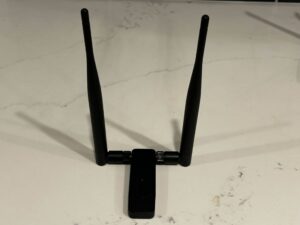
Chipset: Ralink RT5572
Drivers: Windows and Linux fully support this adapter with no installations needed.
Price: $80
Signal Strength 5ft:
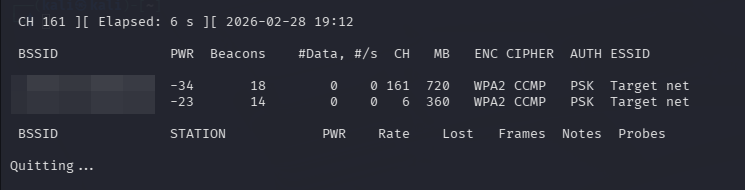
Signal Strength 80ft:
Conclusion
Each of these adapters performs very similarly in range and signal strength tests. While some, like the AWUS036AXML and AWUS036ACH, have driver issues depending on the operating system, all perform quite well. The use case for professional use versus hobby and educational use can be a major deciding factor for which adapter one chooses. There are no wrong answers as long as the adapter allows you to complete the task at hand effectively. You may have a preference in portability, pricing, or a manufacturer. Price does not have any indicator as to what is the best on the market. We saw that 1 dollar can complete an assessment as well as the presumed Alfa standard.
